
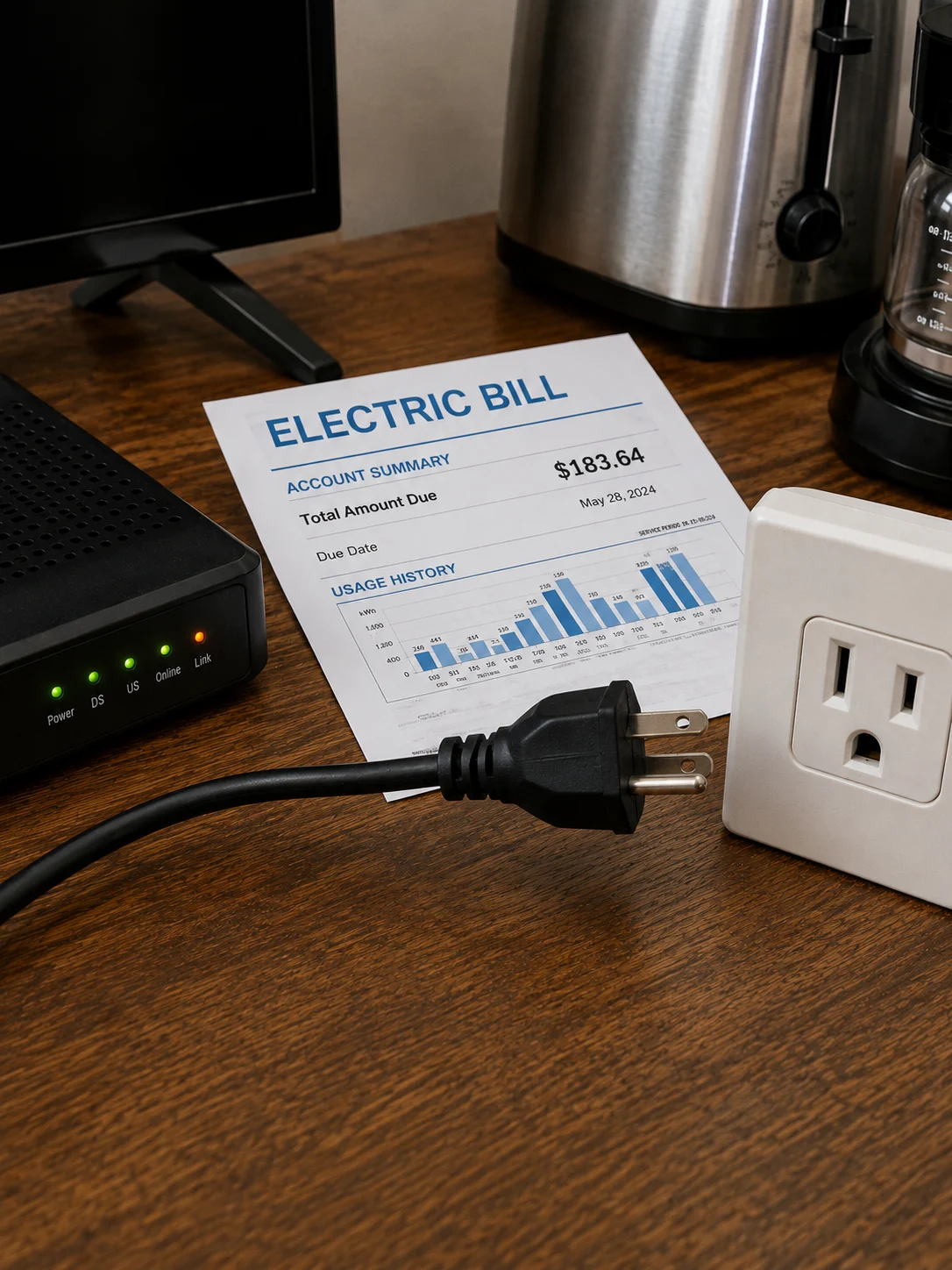
You know that tiny red light glowing on your TV after you turn it off?
Or the clock on the microwave that’s still shining at 2 a.m.?
Those little signs raise an interesting question: Do appliances use electricity when turned off?
Many of them do.
It’s commonly called standby power, vampire power, or phantom energy. TVs, cable boxes, game consoles, coffee makers, microwaves, chargers, speakers, and other electronics may continue drawing a small amount of electricity while they’re plugged in—even when nobody is actively using them.
So I wondered what would happen if someone went after that wasted electricity aggressively.
Every night before bed, unplug the TV.
Unplug the cable box.
Disconnect selected kitchen appliances.
Pull unused chargers.
Then plug everything back in the following day.
Keep doing it for four weeks.
Would the electric bill drop dramatically?
Would all that crawling behind furniture finally pay off?
Well… the answer is more interesting than “unplug everything and save a fortune.”
What Is Standby Power?
When you press the power button on an electronic device, it may not completely disconnect itself from electricity.
Instead, it can enter standby mode.
The device may continue using a small amount of power to support features such as clocks, displays, remote controls, network connections, memory, sensors, or quick-start functions.
That electricity consumption can continue 24 hours a day.
One device might not seem significant.
But start counting everything plugged into a modern home and, yeah, suddenly there are a lot of little lights staring back at you.
Why a TV Can Still Use Electricity When It’s “Off”
Modern televisions are basically computers with giant screens.
Turning off the picture doesn’t necessarily disconnect every internal function.
A TV may remain ready to receive a signal from its remote, maintain certain settings, perform background functions, or stay connected to a network.
Standby consumption varies greatly by model and settings.
Newer energy-efficient TVs can have relatively low standby use, while older equipment may consume more.
So unplugging a TV overnight can eliminate its standby consumption during those hours.
The real question is whether the dollar savings are big enough to notice.
Cable Boxes Can Be a Different Story
Cable and set-top boxes can behave differently from simple electronics.
Some boxes remain active to receive programming information, maintain network connections, record scheduled programs, or perform updates.
That means pressing the power button may not reduce consumption as much as you’d expect.
However, unplugging one every night can also create inconvenience.
It may need time to reboot.
Updates could be interrupted.
Scheduled recordings or other functions might not work.
Your service provider may also recommend leaving the equipment connected.
So before yanking that plug every night, check how your particular box operates.
Saving a little electricity loses some charm when you miss the season finale you wanted recorded.
Kitchen Appliances Have Standby Loads Too
Walk through your kitchen at night without turning on the lights.
You’ll probably see several glowing displays.
Microwave clock.
Oven clock.
Coffee maker.
Air fryer display.
Smart appliance panel.
Maybe a toaster oven.
Each individual device may use only a small amount of electricity while idle.
But several devices operating around the clock can add up over a year.
That doesn’t mean you should unplug every kitchen appliance.
Some are meant to remain connected.
Others may lose clock settings or programmed functions every time they’re unplugged.
And obviously, certain appliances should remain powered continuously.
More on that in a minute.
The 4-Week Experiment
The idea behind this experiment is straightforward.
For four weeks, disconnect nonessential electronics every night before going to bed.
Then reconnect them when needed.
The target list might include:
- Television
- Cable or set-top box when appropriate
- Game console
- Speakers
- Coffee maker
- Microwave if practical
- Toaster oven
- Air fryer
- Unused chargers
- Desktop accessories
- Other nonessential electronics with standby consumption
The goal isn’t to live without electricity.
It’s to find out how much power the house consumes simply because devices remain connected.
Week 1: I Started Noticing How Much Stuff Stays Plugged In
The first surprise isn’t necessarily the electric bill.
It’s the number of plugs.
Once you start paying attention, they’re everywhere.
Behind the television.
Under the desk.
Beside the bed.
Across the kitchen counter.
There are chargers connected to absolutely nothing.
There’s a speaker nobody has used in two weeks.
There’s an old game console patiently waiting for its comeback.
And somehow there’s a power adapter you don’t even recognize.
Who owns this thing?
Nobody knows.
Yet it’s been plugged in since approximately 2018.
Week 2: The Routine Starts Getting Annoying
Unplugging one appliance?
Easy.
Unplugging eight or ten devices every night?
That’s when enthusiasm starts fading.
Reaching behind a television stand every evening gets old pretty fast.
Resetting appliance clocks gets even older.
And plugging everything back in each morning isn’t exactly my dream morning ritual.
Coffee first.
Electrical scavenger hunt second.
This is where a switched power strip or smart plug can make more sense for suitable devices.
Week 3: I Started Separating Meaningful Loads From Tiny Ones
This is probably the most useful lesson.
Not every glowing LED deserves your attention.
A modern device with extremely low standby consumption may cost very little to leave connected.
Meanwhile, another device that remains networked or active could consume considerably more.
Instead of unplugging everything indiscriminately, identify which devices actually use meaningful standby electricity.
That’s where an inexpensive plug-in electricity meter can be incredibly useful.
Plug the meter into the wall.
Plug the appliance into the meter.
Then measure its idle consumption according to the meter’s instructions.
Now you’re working with numbers instead of guesses.
Week 4: Did the Electric Bill Actually Drop?
It can.
But don’t expect unplugging a few modern devices overnight to cut your electric bill in half.
Your final savings depend on several factors:
How much standby electricity your devices consume.
How many devices you disconnect.
How many hours they remain unplugged.
Your electricity rate.
How much total electricity the household normally uses.
Seasonal heating and cooling.
Water heating.
Cooking.
Laundry.
Other changes in household behavior.
If the bill drops slightly, standby reduction may have contributed.
But comparing one month’s bill with another isn’t a perfect scientific test.
Weather alone can completely overwhelm the savings.
Why Comparing Two Electric Bills Can Be Misleading
Let’s say your electric bill falls by $12 after you start unplugging electronics.
Awesome.
Did unplugging save $12?
Not necessarily.
Maybe the weather was cooler and the air conditioner ran less.
Maybe you traveled for a weekend.
Maybe you used the dryer less.
Maybe the billing period had fewer days.
Maybe electricity rates changed.
Maybe the previous month’s meter reading covered a different usage period.
This is why looking at kilowatt-hours used, rather than only the dollar amount, gives you a better comparison.
Even then, household conditions can vary.
How to Calculate the Cost of Standby Power
Here’s the basic idea.
Electricity is commonly billed in kilowatt-hours, or kWh.
Suppose a device uses 5 watts continuously while idle.
Five watts equals 0.005 kilowatts.
If it remains in that state for 24 hours:
0.005 × 24 = 0.12 kWh per day.
Over 365 days:
0.12 × 365 = 43.8 kWh per year.
Then multiply that number by your electricity rate.
At $0.20 per kWh, for example:
43.8 × $0.20 = $8.76 per year.
That’s one hypothetical 5-watt device.
Now imagine several devices.
That’s when the numbers become more interesting.
What If a Device Uses Only 1 Watt?
Let’s use the same math.
A 1-watt standby load running continuously uses:
0.001 × 24 × 365 = 8.76 kWh per year.
At $0.20 per kWh:
8.76 × $0.20 = $1.75 per year.
So crawling behind a cabinet twice a day to unplug a 1-watt device might save very little.
That’s why measurement matters.
Go after the bigger standby loads first.
Your back will thank you.
What If You Only Unplug Things at Night?
This changes the calculation significantly.
Suppose that same hypothetical 5-watt device gets unplugged for eight hours each night.
That’s one-third of the day.
You would avoid roughly one-third of its continuous standby consumption during those hours.
So instead of eliminating the full hypothetical $8.76 annual standby cost, you’d eliminate only the portion corresponding to the hours it remains disconnected.
Again, actual savings depend on the device and your electricity price.
This is why dramatic claims about huge monthly savings from nighttime unplugging deserve a little skepticism.
Devices That Make Sense to Check
Instead of turning the whole house into an unplugging marathon, start with clusters of electronics.
Entertainment centers are a good example.
A TV, game console, speakers, streaming equipment, and other accessories may all share one area.
Home offices are another.
Computer monitors, speakers, printers, docking equipment, and chargers can sit idle for long periods.
Guest rooms can contain electronics that rarely get used.
Kitchen counters may also have nonessential small appliances that don’t need continuous power.
Measure first when possible.
Then decide whether disconnecting them is worth the trouble.
Appliances You Shouldn’t Randomly Unplug Every Night
This part matters.
Don’t treat every plug like an energy-saving opportunity.
Refrigerators and freezers need continuous electricity to keep food at safe temperatures.
Medical equipment may require uninterrupted power.
Security equipment, smoke or carbon monoxide systems, internet/network hardware, sump pumps, aquarium equipment, and other critical devices may need to remain connected depending on the household.
Some smart-home equipment also relies on constant power.
And certain appliances or electronics perform updates, scheduled tasks, recordings, or other functions while you’re asleep.
Think before you unplug.
A few cents of electricity isn’t worth spoiled groceries or disabling important equipment.
Don’t Repeatedly Move Heavy Appliances to Reach Plugs
If the outlet is hidden behind a large appliance, don’t make nightly unplugging your new fitness routine.
Repeatedly pulling appliances away from walls can damage flooring, cords, connections, or water lines.
It’s also just inconvenient.
Focus on easily accessible, nonessential devices.
Energy savings should make your life easier.
Not turn bedtime into moving day.
Power Strips Can Make This Much Easier
Here’s the trick I’d actually keep.
Instead of unplugging five entertainment devices individually, connect appropriate electronics to a quality power strip with an accessible switch.
Then one switch can disconnect the entire group.
Click.
Done.
Make sure the power strip is suitable for the equipment and electrical load.
Don’t overload it.
Don’t daisy-chain multiple power strips.
And don’t use a standard power strip for high-power appliances unless the manufacturer specifically allows that setup.
Electrical safety comes first.
Smart Plugs Can Automate the Routine
For suitable low-power devices, a smart plug can make nighttime shutoff automatic.
You can schedule power to turn off at bedtime and return in the morning.
No crawling behind furniture.
No remembering.
No nightly plug-pulling.
However, check the smart plug’s electrical rating and the requirements of the connected equipment.
Also remember that the smart plug itself uses a small amount of electricity.
Technology saving us from technology.
Pretty on-brand.
Advanced Power Strips Can Help Entertainment Centers
Some power strips are designed to reduce wasted electricity from groups of electronics.
For example, they may recognize when a primary device turns off and cut power to selected accessories.
That can work nicely around entertainment centers or computer setups.
You still need to decide which devices can safely lose power.
A DVR that needs to record at 2 a.m. probably shouldn’t be connected to an outlet that automatically shuts off with the television.
Your speakers?
Different story.
Unused Chargers Are Easy Targets
A charger plugged into the wall without a device attached can still draw a small amount of electricity depending on its design.
Modern chargers may consume very little when idle.
Still, unplugging chargers that aren’t being used is an easy habit, especially if they’re accessible.
It also reduces unnecessary clutter.
I wouldn’t expect unplugging one modern phone charger to transform your electric bill.
But there’s no reason to maintain a permanent charger museum in every outlet either.
Older Electronics May Deserve More Attention
Standby efficiency has improved across many types of electronics.
That means older devices may be more interesting candidates for measurement.
An old entertainment system, outdated set-top box, aging television, or older office equipment could consume more idle power than a newer equivalent.
Don’t assume, though.
Measure.
A plug-in electricity meter can settle the argument in a few minutes.
That’s much better than judging appliances based on how ancient their remote control looks.
Your Biggest Electricity Users May Be Somewhere Else
Here’s where perspective matters.
Standby power is real.
But in many homes, major electricity use comes from larger loads.
Depending on the household, that can include:
Heating and cooling.
Electric water heating.
Clothes dryers.
Electric ovens.
Pool pumps.
Dehumidifiers.
Space heaters.
Older refrigerators or freezers.
Electric vehicle charging.
Reducing unnecessary standby use is useful, but don’t ignore a giant energy hog while celebrating the unplugged coffee maker.
That’s like skipping one french fry while ordering three milkshakes.
Heating and Cooling Can Matter Far More
If your home uses electric heating or air conditioning, temperature control can represent a major share of household electricity consumption.
Small changes to thermostat schedules, insulation, air sealing, HVAC maintenance, and cooling habits may have a much larger financial effect than chasing tiny standby loads.
That doesn’t mean ignore phantom power.
It means prioritize.
Go after the biggest opportunities first.
Check Your Electric Bill in kWh
Don’t just look at the amount due.
Find the number showing electricity consumption in kilowatt-hours.
Compare it with previous periods.
Some utility bills also show daily averages or comparisons with the same period from the previous year.
That information can help you understand whether consumption actually changed.
If your utility provides hourly or daily usage data through an online account, even better.
Patterns can reveal when electricity consumption spikes.
Numbers beat guessing every time.
A Plug-In Electricity Meter Makes This Experiment Better
If you really want to know whether unplugging something matters, measure it.
A plug-in meter can show how much electricity a compatible device draws.
Test the appliance while operating.
Then turn it “off” and see what happens.
Does consumption drop close to zero?
Great.
Does it continue drawing several watts?
Now you have something worth considering.
Test several devices and rank them.
Suddenly your energy-saving plan becomes targeted instead of random.
Try a 24-Hour Test
Some devices cycle through different states, so a single instant reading may not tell the whole story.
When practical, monitor compatible equipment for a longer period.
A 24-hour measurement can provide a better picture of total consumption.
Then compare that with how often you actually use the device.
Something that’s active for 20 minutes but idles for the remaining 23 hours and 40 minutes might deserve attention.
Is Unplugging Appliances Good for Surge Protection?
Physically disconnecting equipment from the electrical supply can isolate it from some electrical events traveling through that connection.
However, nightly unplugging isn’t a replacement for proper electrical protection.
Quality surge protection and appropriate whole-home electrical protection may be useful depending on your situation.
During severe storms, electrical safety can involve additional considerations.
Follow local electrical guidance and manufacturer recommendations.
And never handle plugs with wet hands.
Yes, even if you’re in a hurry.
Repeated Plugging and Unplugging Has Downsides
There’s another issue people rarely mention.
Electrical outlets and plugs experience physical wear.
Constantly pulling plugs in and out isn’t always the most practical approach.
Cords can also be damaged if people pull them by the cable rather than the plug body.
If you want to disconnect the same group of electronics every day, a properly rated switched solution can be more convenient.
And please don’t yank cords from across the room like you’re starting a lawn mower.
What Happened After Four Weeks?
The most realistic outcome isn’t usually a jaw-dropping electric bill.
It’s awareness.
You begin noticing devices that stay powered for no useful reason.
You start switching off equipment you rarely use.
You unplug forgotten chargers.
You become more conscious of standby consumption.
Your electricity use may decrease, especially if you have several meaningful standby loads.
But the exact savings can range widely from household to household.
The experiment’s biggest benefit may be showing you where electricity quietly goes.
Was the Nightly Routine Worth It?
For every single appliance?
Probably not.
I wouldn’t spend every evening crawling behind furniture to eliminate pennies of standby consumption.
But the experiment can identify devices that don’t need constant power.
Once you know which ones matter, make the change convenient.
Use an appropriate switched power strip.
Schedule suitable smart plugs.
Disconnect rarely used equipment.
Replace unusually inefficient old electronics when replacement otherwise makes sense.
That’s much easier to maintain than performing a nightly tour of every electrical outlet in the house.
A Better 4-Week Energy-Saving Challenge
If you want to repeat this experiment, make it more useful.
During week one, identify devices that stay connected constantly.
During week two, measure compatible electronics with a plug-in electricity meter.
During week three, disconnect or schedule the largest unnecessary standby loads.
During week four, compare electricity consumption in kWh while accounting for major changes such as weather and travel.
Then keep only the habits that actually make sense.
That’s an experiment I’d stick with.
Frequently Asked Questions
Do appliances use electricity when turned off?
Many electronic devices consume some electricity while in standby mode. The amount varies significantly by device, model, settings, and age.
Does unplugging appliances save electricity?
Yes. Disconnecting a device eliminates electricity consumption through that plug while it’s unplugged. However, the financial savings may be small when the device has very low standby consumption.
Will unplugging my TV every night lower my electric bill?
It can reduce the television’s overnight standby consumption, but the savings depend on the TV’s standby wattage, how long it remains unplugged, and your electricity rate.
Does a cable box use electricity when turned off?
Some set-top boxes continue operating in a low-power or active state for network functions, updates, programming information, or recordings. Consumption varies by equipment.
Should I unplug my microwave at night?
A microwave may consume a small amount of standby electricity for its clock and electronics. Whether unplugging it is worth the inconvenience depends on its actual standby consumption.
Should I unplug my refrigerator at night?
No. Refrigerators and freezers need continuous power to maintain safe food temperatures.
Do phone chargers use electricity when nothing is connected?
Some chargers draw a small amount of power while plugged in without charging a device. Modern efficient chargers may use very little.
What’s the easiest way to stop phantom power?
For suitable electronics, switched power strips, advanced power strips, and properly rated smart plugs can make disconnecting standby loads more convenient.
How can I tell which appliances waste the most electricity?
Use a compatible plug-in electricity meter to measure individual devices. Your utility’s energy-use data may also help identify broader household consumption patterns.
Can unplugging appliances cut my electric bill in half?
For most households, unplugging ordinary standby electronics alone is unlikely to produce such a dramatic reduction. Heating, cooling, water heating, and other major loads may consume far more electricity.
Final Thoughts
So, did unplugging appliances to save electricity actually make a difference after four weeks?
It certainly can reduce wasted standby energy.
But there’s an important reality check.
Not every plug deserves a nightly battle.
A modern TV drawing very little standby power probably isn’t secretly responsible for your giant electric bill. Meanwhile, an older set-top box, entertainment system, or other constantly active device could be worth investigating.
That’s why I wouldn’t blindly unplug everything.
I’d measure first.
Check the electric bill in kilowatt-hours.
Identify meaningful standby loads.
Disconnect equipment that genuinely doesn’t need constant power.
Then make the habit easy with appropriate switched power strips or smart controls.
Most importantly, don’t unplug equipment that needs continuous electricity.
Your refrigerator gets to stay.
Your freezer gets to stay.
That mysterious charger behind the couch that nobody has used since 2021?
Yeah… we can probably have a conversation about that one.